Gaming Desk Accessories: Functions, Fit and Selection Priorities
Choose gaming desk accessories by starting with a recurring desk problem, then confirm physical fit before spending. Prioritise the accessory category that solves that problem without blocking essential equipment or usable space; treat convenience, aesthetics and lower-frequency upgrades as secondary once fit, everyday usefulness and budget are clear.
Accessory-fit decision assistant
Choose the recurring desk problem you want to solve. The result identifies the accessory category to evaluate first and the fit checks that can rule it out; it does not replace model-specific compatibility checks.
Decision order
Need → fit → space cost → frequency → practical benefit → budget
Start with the problem, then disqualify options that do not fit the desk or the equipment. Among the options that remain, give more weight to recurring benefit than to novelty or appearance.
Evaluate first
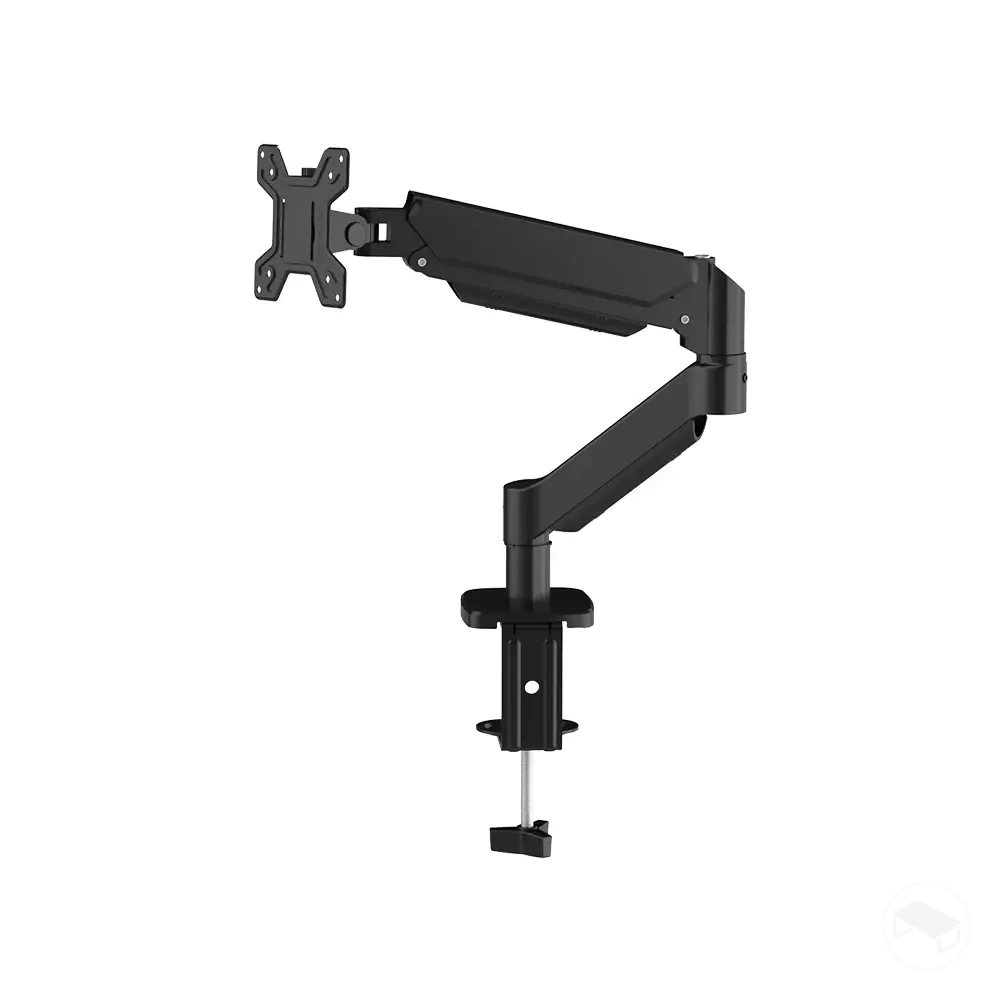
Monitor support
Use this category when display positioning or the amount of desktop area occupied by the display support is the recurring constraint.
Desk fit: confirm the stand footprint or the mount's required desk-edge area, thickness range and underside clearance.
Display fit: for a monitor arm, confirm the display's documented mounting interface and weight are within the arm's stated support limits.
Movement: leave enough clearance for the intended display position and any arm movement.
Use local lighting when the desk or display area needs better task visibility, rather than treating lighting as automatically necessary for a gaming setup.
Target area: position the light so it illuminates the area that actually needs visibility.
Placement: confirm the light does not obstruct the display, controls or other equipment.
Power and controls: check the product's documented power method and adjustment features against the intended setup.
Rule-out condition: the light adds obstruction or glare without improving the intended working area.
Compatibility boundary: exact clamp ranges, dimensions, supported loads, charging specifications and other model-specific limits must be checked against the product documentation for the accessory and the equipment it will support.
The sections below separate what each accessory type does from whether it fits a particular desk, then apply those two questions to upgrade priority.
Table of Contents⌄
What Counts as a Gaming Desk Accessory
A gaming desk accessory is a supporting, desk-focused addition. Its identity comes from the role it performs around the desk rather than from the fact that it is used while gaming.
Entity
Gaming desk accessory
Defining role
Supports the desk setup rather than serving as the core computer, primary peripheral or furniture.
Common functions
Position equipment, organise cables or gear, protect the surface, improve local visibility, or make charging and power access more convenient.
Boundary example
A monitor arm is the desk accessory; the monitor it positions remains core equipment.
Practical test: classify the item by its primary role. It fits the desk-accessory role when it mainly supports positioning, organisation, protection, visibility or access around the desk rather than serving as core computing equipment, a primary peripheral or furniture.
Main Gaming Desk Accessory Types and Their Setup Roles
The main gaming desk accessory types are best distinguished by the setup roles they perform: positioning equipment, managing the desk surface, controlling cables, providing storage, adding desk-focused lighting, or improving charging and power access.
The table classifies these accessory categories by role, typical placement, and the main condition that determines whether each group suits a particular setup rather than presenting a product list.
Accessory category
Primary setup role
Typical placement
Main decision condition
Monitor support
Positions and supports a display while managing its use of the desk surface
On the desktop or at a compatible desk edge
The support method must match the relevant desk mounting area and the display it is intended to support
Desk-surface accessories
Provide surface coverage for protection and a defined mouse area
Across part of the usable desk surface
A desk mat or other surface accessory should fit the available surface while leaving space for equipment and normal desk use
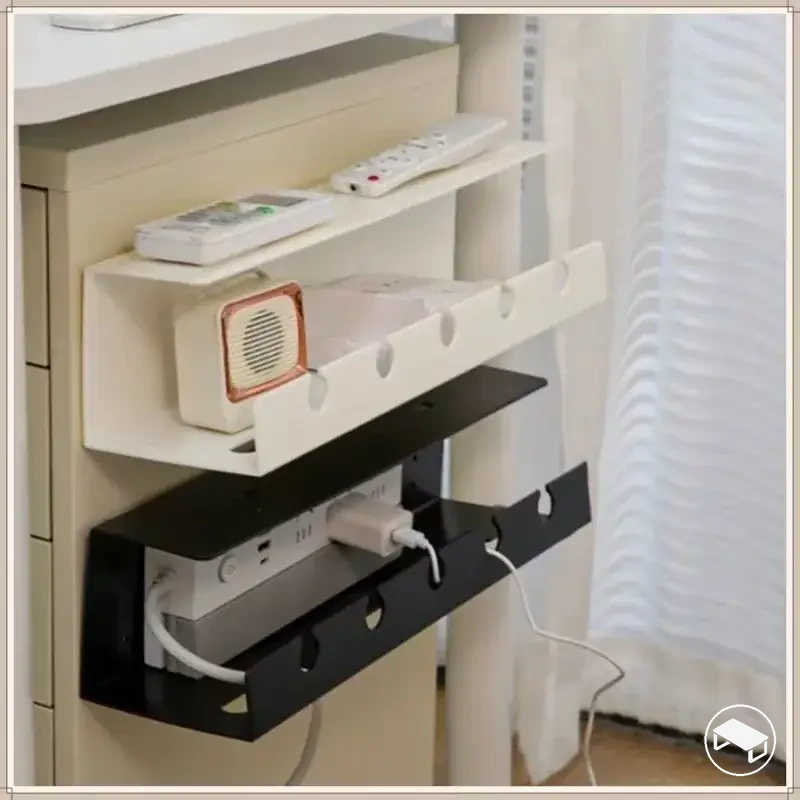
Cable management
Organises the cable path between connected equipment and power
On, behind, or under the desk
The routing location must accommodate the required cable path without conflicting with equipment placement or normal desk use
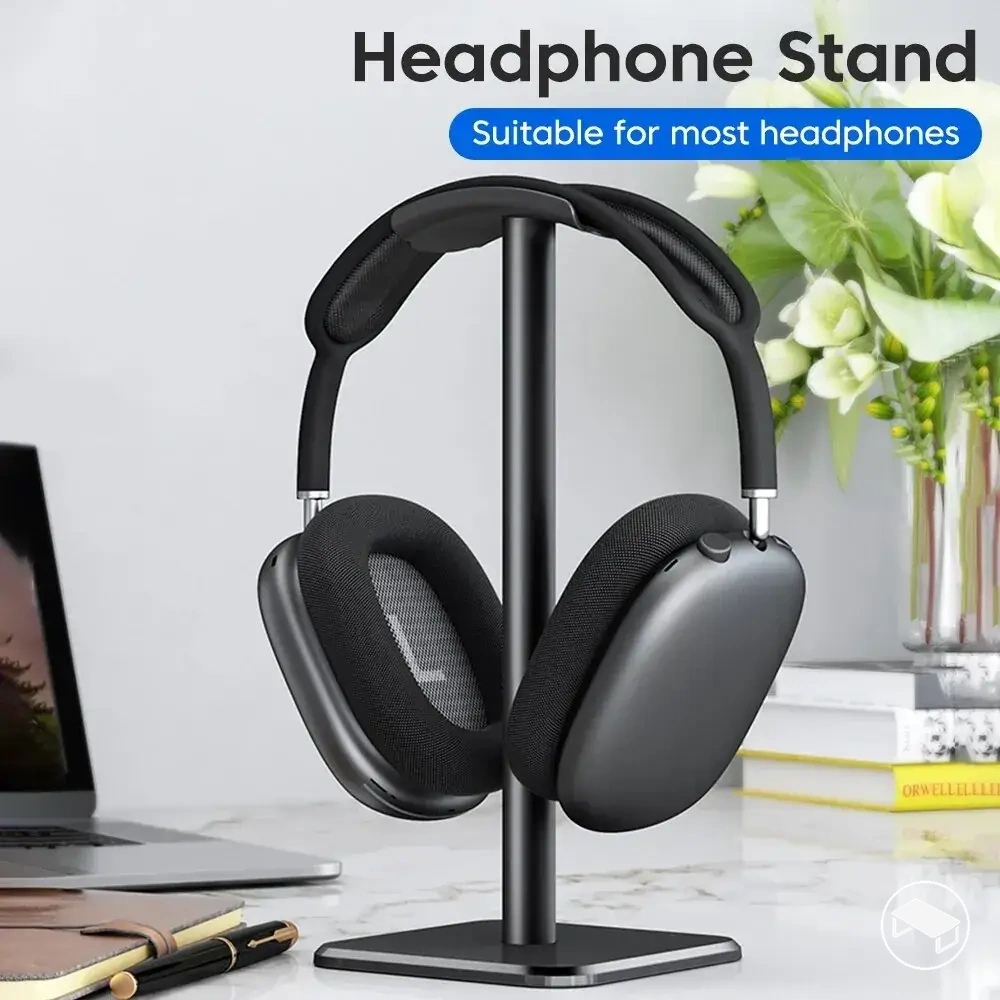
Accessory storage
Keeps items such as a headset or controller stored within practical reach
At the desk edge, beneath the surface, or on available desktop space
The storage position should provide convenient access without unnecessarily occupying usable desk space
Desk-focused lighting
Provides illumination around the desk or display area
On the desk or around the monitor and nearby desk area
Placement should illuminate the intended area without obstructing equipment or normal desk use
Charging or power access
Provides a convenient location for charging devices or accessing power
On, beneath, or within reach of the desk
The location should suit the devices that need power while keeping the connection point accessible within the setup
Choose the category by the setup role that needs to change. On a space-constrained desk, options that use vertical, edge or under-desk zones can preserve more working surface—but only when those zones have the required clearance.
Monitor Support and Desk-Surface Accessories
Monitor supports and desk-surface accessories both change usable workspace, but they do so through different spatial relationships.
Monitor support
Primary change
Display position and the amount of surface occupied by its support.
Fit condition
The stand footprint or mounting area must fit the desk while leaving required equipment and movement clearance.
For monitor arms
Confirm the display's mounting interface and weight against the arm's documented support limits, plus the desk clamp or grommet requirements.
Desk mat or desk pad
Primary change
Defines a protected surface area for the mouse and other equipment.
Fit condition
Its dimensions must fit the usable desktop area after space for core equipment and normal use is reserved.
Separate decision
Material affects feel, care and durability; coverage size determines how much desk surface remains available.
Selection distinction: use support when display position or support footprint is the constraint; use a surface accessory when coverage, protection or a defined mouse area is the need.
Cable Management and Accessory Storage
Cable management and accessory storage both reduce clutter, but one controls connection paths while the other gives physical items a defined location.
Cable management
What it controls: cable route and retention.
Typical tools: trays, clips, sleeves and reusable ties.
Useful zones: on, behind or under the desk.
Check first: the full cable path, mounting clearance and enough slack for equipment that moves or adjusts.
Accessory storage
What it controls: where headsets, controllers and small gear rest when not in use.
Typical tools: headset holders, controller holders and desk organisers.
Useful zones: desk edge, underside or available desktop area.
Check first: reach, attachment or footprint fit, and whether the stored item remains easy to remove and replace.
The better placement is the one that reduces clutter without converting another useful desk zone into an obstruction.
Lighting, Charging and Power-Access Accessories
Lighting and power-access accessories are useful when they solve a specific visibility or connection-access problem; they are not universal requirements for a gaming desk.
Desk-focused lighting
Primary value
Local illumination around the desk or display area.
Placement condition
The light should reach the intended area without obstructing equipment or controls.
Decision check
Choose placement and adjustment features for the visibility problem being solved, not for appearance alone.
Charging or power access
Primary value
Brings a supported connection point within practical reach.
Compatibility condition
The connector, charging or power standard, and documented output must suit the connected device.
Performance boundary
Actual charging capability is constrained by the compatible capabilities of the device, power source, accessory and cable.
Do not infer charging speed from connector shape alone. The required protocol and power capability must also be supported across the connection.
Fit and Compatibility Across Different Gaming Desks
Accessory compatibility is a multi-condition fit test. Surface space alone does not establish compatibility if the mount, clearance or surrounding equipment prevents the accessory from occupying its intended position.
Usable space
The accessory footprint must leave enough room for core equipment and normal desk use.
Attachment geometry
Clamp, grommet or other mounting methods must match the relevant desk edge, thickness range, contact surface and hardware access.
Clearance
The mount, accessory body, cables and moving parts need unobstructed space in their intended positions.
Equipment interaction
The accessory must support the intended equipment without blocking controls, movement, reach or another required desk function.
Compatibility rule: every required condition must pass. When exact fit matters, compare the desk and equipment measurements with the accessory's documented dimensions, mounting range and other stated limits.
Accessory Footprint and Usable Desk Space
On a small desk, accessories are more suitable when their placement preserves the surface area needed for core equipment and normal desk use rather than occupying or blocking a critical working zone.
Accessory footprint therefore includes both the space an accessory physically occupies and the surrounding placement or reach zone where it can create interference with equipment or access.
Surface footprint: An accessory placed on the desk surface consumes usable desk space, so its occupied area affects where core equipment can sit.
Vertical space: An accessory that uses vertical space can shift some of its spatial cost above the desk surface when the area above it is available and does not interfere with equipment.
Under-desk space: An accessory positioned beneath the desktop can leave more surface area available when the under-desk placement zone is otherwise usable and does not obstruct normal access.
Reach zone: An accessory intended for frequent access needs a placement that keeps it within a practical reach zone without unnecessarily occupying the main working area.
Interference: Any surface, vertical, edge-mounted, or under-desk placement can become impractical when the accessory obstructs existing equipment, accessibility, or normal desk use.
Net space cost matters more than raw footprint. A vertical, edge-mounted or under-desk accessory can preserve desktop area only when the alternative zone is genuinely available and remains accessible.
Mounting and Clearance Requirements
A mounted accessory needs a mounting method that matches the desk-edge geometry and contact surface, with sufficient surrounding clearance for the attachment to occupy its required space.
Compatibility therefore depends on verifying the relevant desk and accessory conditions before fit or stability is assumed, using the checks below.
Mounting method: Verify that the accessory's attachment method is suitable for the part of the desk where it is intended to mount.
Desk-edge geometry: Check that the desk edge provides the shape and accessible area required by the mounting method.
Desk thickness: Confirm that the relevant desk thickness falls within the accessory's documented mounting or clamp range rather than assuming a fixed limit.
Underside clearance: Check for an obstruction such as framing or nearby hardware that could occupy the underside space required by the mount.
Contact surface: Verify that the intended mounting area provides the contact surface required by the accessory's attachment design.
Movement clearance: Confirm that the mounted accessory and any moving parts have enough movement clearance to operate without interference from nearby equipment or desk structures.
For an exact fit decision, compare the desk thickness and geometry with the accessory's documented attachment range and clearance requirements rather than assuming a universal clamp limit.
Buying Priorities for Gaming Desk Accessories
Buying priorities for gaming desk accessories should begin with a recurring functional need plus confirmed fit for the desk configuration, rather than an accessory's popularity.
A useful upgrade priority therefore moves from resolving an actual setup constraint to checking whether the accessory can deliver a practical benefit without creating an unacceptable space cost or budget impact, using the criteria below.
Unresolved need: Give higher purchase priority to an accessory when it addresses a recurring problem or functional need; defer it when no meaningful setup constraint needs to be solved.
Confirmed fit: Confirm compatibility with the desk configuration and intended placement before treating the accessory as a viable purchase, because an otherwise useful function has little practical value when physical fit is unsuitable.
Space cost: Compare the space the accessory occupies or obstructs with the usable space it could recover, organise, or make easier to access; defer it when the spatial cost conflicts with more important equipment or desk use.
Frequency of use: Increase priority when the accessory supports a task or item used frequently, while occasional-use convenience can carry a lower priority when the same space or budget serves a more frequent need.
Practical benefit: Give greater weight to an accessory when it removes a clear setup constraint, recovers useful space, improves access, or reduces repeated inconvenience rather than providing only a marginal change.
Budget impact: Judge the expected benefit against its effect on the available budget, and defer a lower-impact optional upgrade when that spending would compete with a more important functional need.
When two accessories both fit, prioritise the one that removes the higher-frequency, higher-impact unresolved constraint. Convenience or aesthetic upgrades move later when they compete for the same space or budget.
Functional Needs and Everyday Usefulness
Everyday usefulness rises when an accessory addresses a recurring functional need that creates friction during normal desk use.
Its practical benefit is stronger when the effect is repeatedly observable through easier access, usable space recovered, or a recurring setup problem being reduced, so the criteria below qualify expected usefulness.
Task frequency: A higher frequency of use raises expected usefulness because the accessory's function affects normal desk use more often; an infrequent task provides fewer opportunities for the benefit to matter.
Friction reduced: Usefulness rises when the accessory reduces a repeated point of friction in organisation, positioning, or access; it is lower when the same problem rarely occurs.
Space recovered: Recovering usable desk space increases utility when that space improves equipment placement or normal desk use; the benefit is limited when the recovered area has no practical use in the existing layout.
Access improved: Access improved to frequently used equipment or items can increase everyday usefulness, while easier access to rarely used items provides a smaller recurring benefit.
Dependence on existing equipment: An accessory has greater utility when its function supports existing equipment that creates the relevant need; if that equipment already provides the same function or makes the accessory redundant, the likely outcome is marginal benefit.
Everyday usefulness is highest when the accessory repeatedly removes friction you actually experience; it is lower when the same function is already covered or rarely needed.
Essential Accessories and Optional Upgrades
Essential accessories are conditional: an accessory is more essential when it resolves a meaningful setup constraint that would otherwise remain unresolved, while optional upgrades mainly add convenience, comfort, or aesthetics after the functional need is already covered.
The distinction is therefore based on the conditions below rather than popularity or a fixed accessory tier.
More essential when
More optional when
A meaningful functional problem remains unresolved and the accessory directly addresses that setup constraint.
The relevant problem is absent or already resolved, so the accessory mainly adds convenience or aesthetic enhancement.
Frequency of use is high enough that the unresolved problem repeatedly affects normal desk use.
Frequency of use is low, so the accessory's function has limited influence on normal desk use.
No existing substitute adequately performs the required function within the current desk configuration.
An existing substitute already performs the required function, reducing the need for another accessory.
The accessory has suitable fit and its space cost does not undermine the setup constraint it is intended to solve.
Fit is unsuitable or the required space creates another meaningful constraint within the desk configuration.
The accessory provides a substantial marginal benefit by resolving a problem that remains meaningful in the current setup.
The marginal benefit is small because the setup already provides most of the same function or convenience.
For example, a headset holder can be essential when an unresolved storage problem repeatedly consumes working space, but optional when existing storage already keeps the headset accessible. Essential is a setup-specific status, not a permanent product category.
Budget and Upgrade Priority
Budget should follow expected practical benefit, not price level alone. A more expensive accessory can still be a poor priority if it solves little, while a lower-cost accessory can be low value when it is rarely used or duplicates an existing function.
1
Fund unresolved constraints first. Start with accessories that solve a recurring problem and have already passed the fit check.
2
Compare recurring benefit with cost burden. Give more weight to frequency of use, space recovered, access improved and meaningful friction reduced.
3
Defer marginal upgrades. Delay convenience or aesthetic additions when they would displace a more useful improvement within the same budget.
Durability can influence value when service life matters to the expected use, but price alone does not establish durability; construction, design and the actual use condition remain relevant.
Before following a product link
Confirm the accessory solves a current desk problem rather than adding a duplicate function.
Check dimensions, footprint, mount range and clearance requirements against your desk where applicable.
For monitor supports, verify the display interface, supported weight and desk attachment requirements from the product documentation.
For charging or power accessories, verify the connector, required charging or power standard, and documented output against the device.
Re-check whether the accessory's placement preserves the equipment access and working space you use most often.
The existing product examples below illustrate several accessory categories. Use the fit and usefulness criteria above before continuing to any product destination.