Choosing Gaming Desk Charging and Power Accessories
Gaming desk charging and power accessories should be chosen by matching four conditions: the devices and charging methods they support, the power each device can actually receive when ports are used together, the desk position and mounting constraints, and the accessory’s documented electrical ratings and protection features. A connector that fits is not enough; the port, cable, charging protocol when required, device, and simultaneous-use configuration must support the intended charging behaviour.
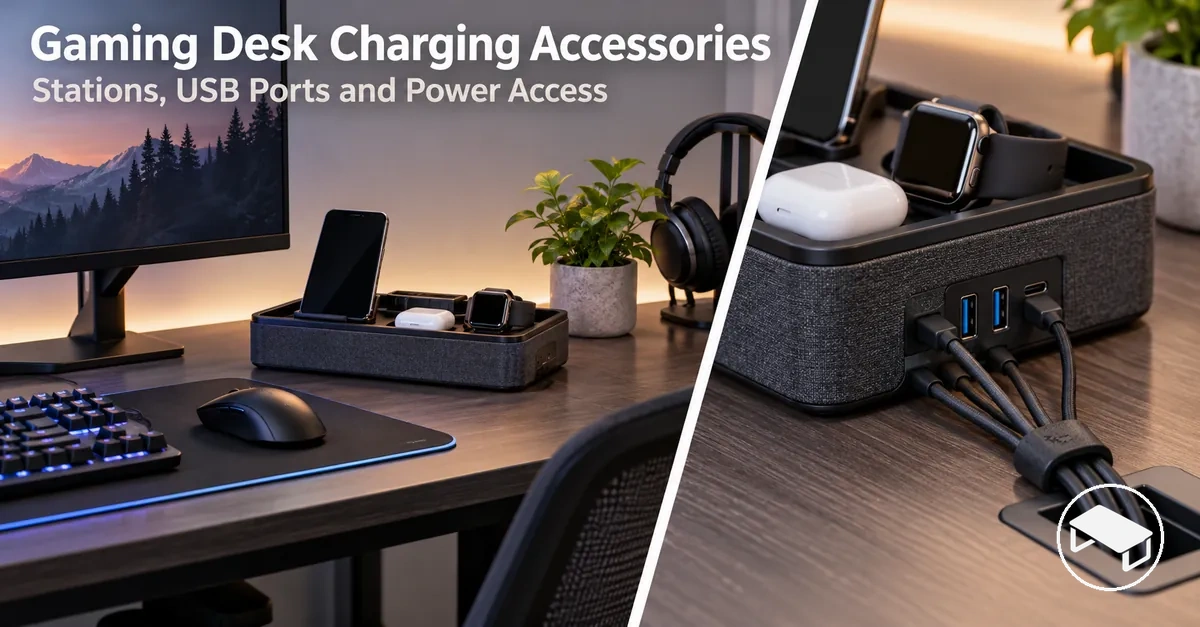
Decision support
Choose a setup by four gates, not by port count alone
Keep an option only when it passes all four checks for the devices and desk you actually use.
List each device and whether it needs USB-C, USB-A through a suitable cable, wireless charging, or a dedicated dock position.
Check total rated output, per-port capability and the documented allocation when the intended ports are active at the same time.
Match desktop, wireless, clamp-on or under-desk placement to mounting support, clearance, cable reach and convenient access.
Verify the connected load stays within stated electrical ratings and confirm the specific protection and thermal conditions the accessory documents.
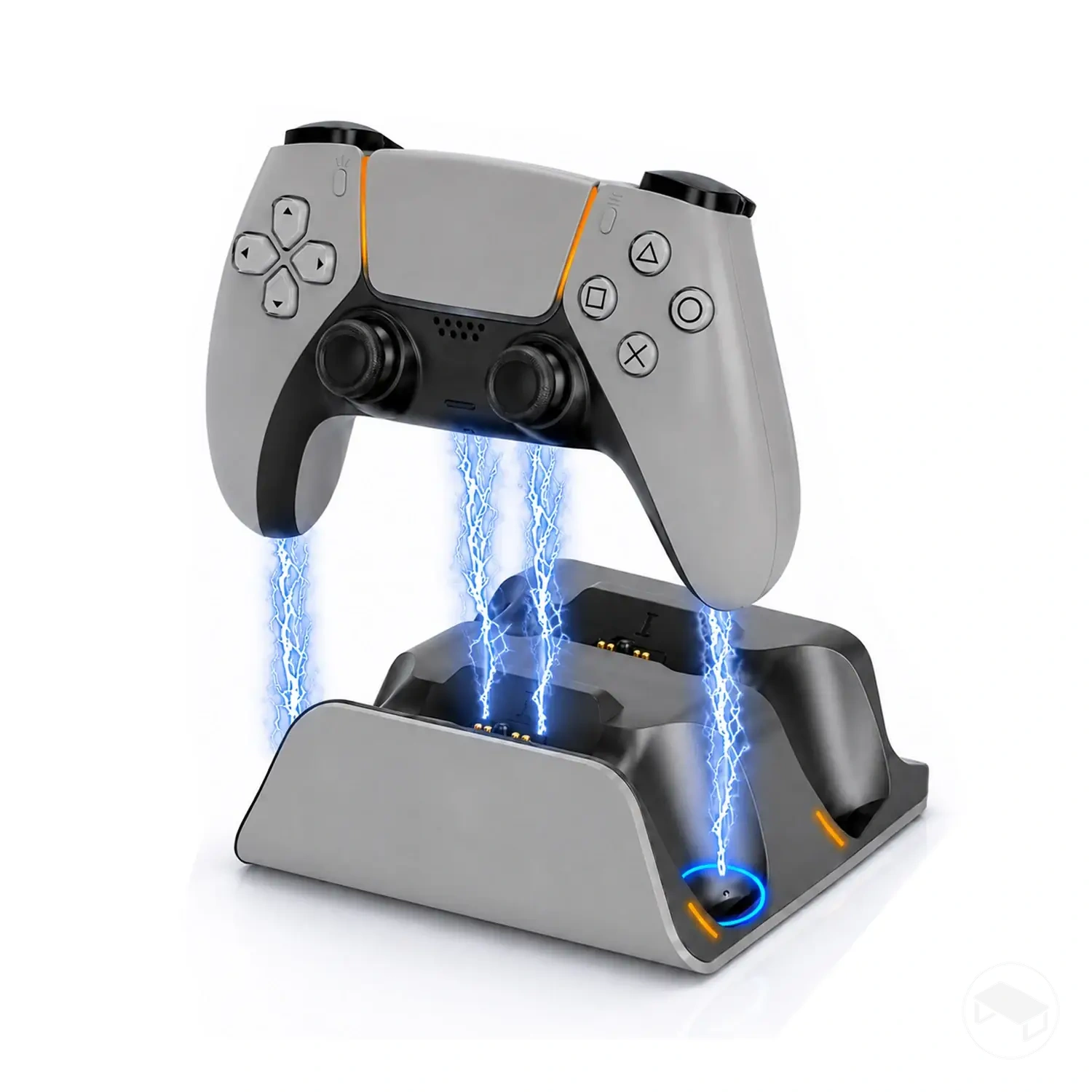
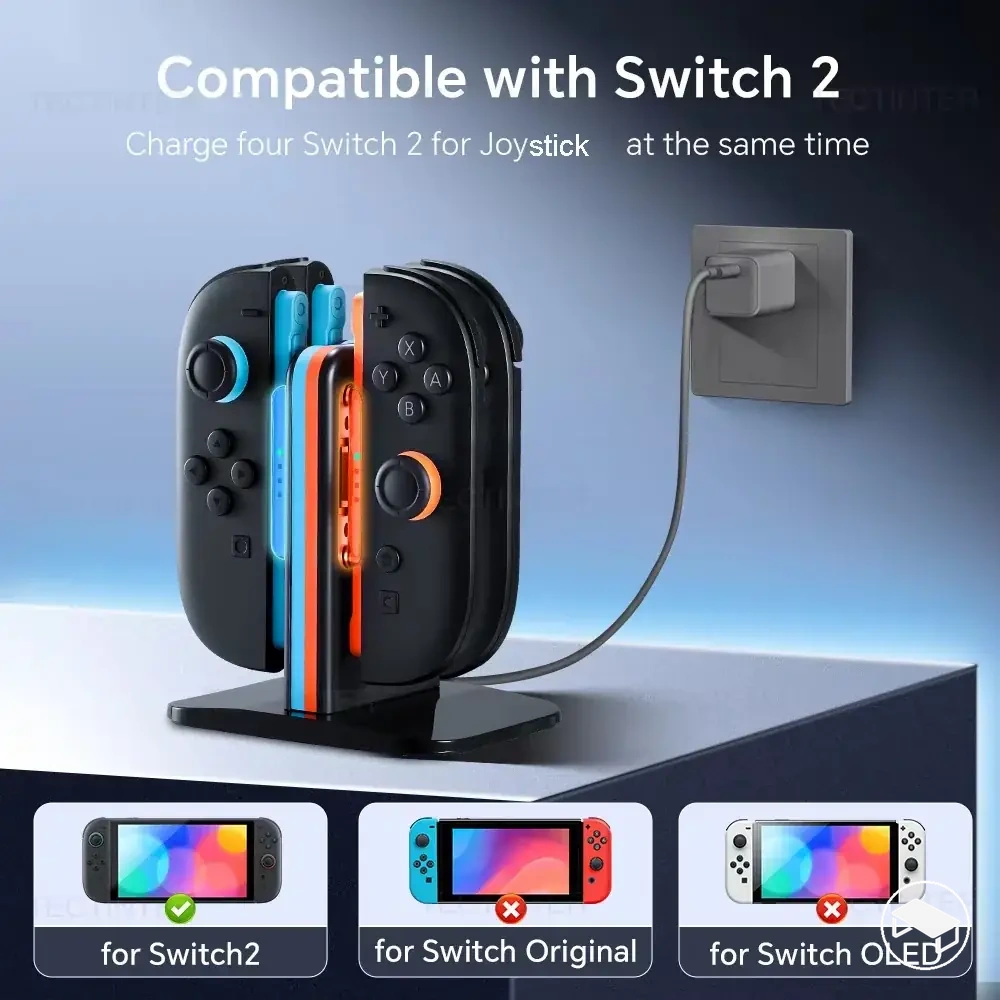
Dedicated charging positions: a charging station or dock fits when its supported devices and charging method match; a dock is especially relevant when physical device support is also useful.
Extra connectivity: a USB hub is primarily a connectivity device, so treat charging as supported only when the particular hub and port explicitly provide it.
Relocated power access: clamp-on or under-desk power access fits when the desk edge or underside supports the mounting method without sacrificing plug, control or cable access.
Decision rule: choose the simplest option that passes every relevant gate. More ports, a higher headline wattage or a convenient mount does not compensate for a failed compatibility, per-device power, placement or rating check.
The sections below separate accessory function, charging compatibility, power allocation, mounting fit and protection so the same decision criteria can be applied consistently before comparing product examples.
Table of Contents
Gaming Desk Charging Accessory Types and Functions
Gaming desk charging accessories provide charging, power access, or device support at the desk, but each accessory type serves a different main function.
A charging station, charging dock, USB hub, wireless charging pad, and mounted power access can occupy the same setup without being functionally interchangeable.
| Accessory type | Primary function | Typical connection or access method | Main selection implication |
|---|---|---|---|
| Charging station | Centralises the charging function for one or more supported devices | Wired charging ports, wireless charging positions, or both, according to the design | Choose a design whose charging methods correspond to the devices that require power |
| Charging dock | Combines charging with physical device support and may also provide connectivity | Direct connector, charging contact, or cable connection, according to the supported device and dock design | Check whether the required function is charging, physical device support, connectivity, or a supported combination |
| USB hub | Expands USB connectivity through extra ports; charging capability is conditional on the hub design | Connects to a host device and exposes additional USB ports | Treat port expansion and charging capability as separate attributes rather than assuming every added port supplies the required charging function |
| Wireless charging pad | Charges a compatible device through a charging surface without a charging cable connected directly to that device | The compatible device rests on the charging surface while the pad itself receives power | Verify that the device supports the charging method used by the pad and can be positioned as required by that design |
| Mounted power access | Places electrical outlets or charging connections at an accessible desk position | Attaches at the desk edge or under the desk, according to the mounting design | Match the access method and mounting arrangement to the intended desk position |
A charging station centres on supplying power to supported devices, while a charging dock adds physical device support and may combine charging with other connectivity.
A USB hub centres on extra ports and connectivity, with its charging capability determined by the particular hub design.
A wireless charging pad provides a charging surface for a compatible device, while mounted power access relocates outlets or charging connections to a desk edge or under-desk position.
These functions separate charging access from broader connectivity even when one accessory provides both.
The functional differences are also visible in how each accessory connects to devices or the desk: stations and docks provide dedicated positions according to their design, hubs expand ports, wireless pads create a charging surface, and mounted options place power access at the desk edge or underside.
The illustration below shows these accessory types as separate charging, connectivity, device-support, and power-access functions.
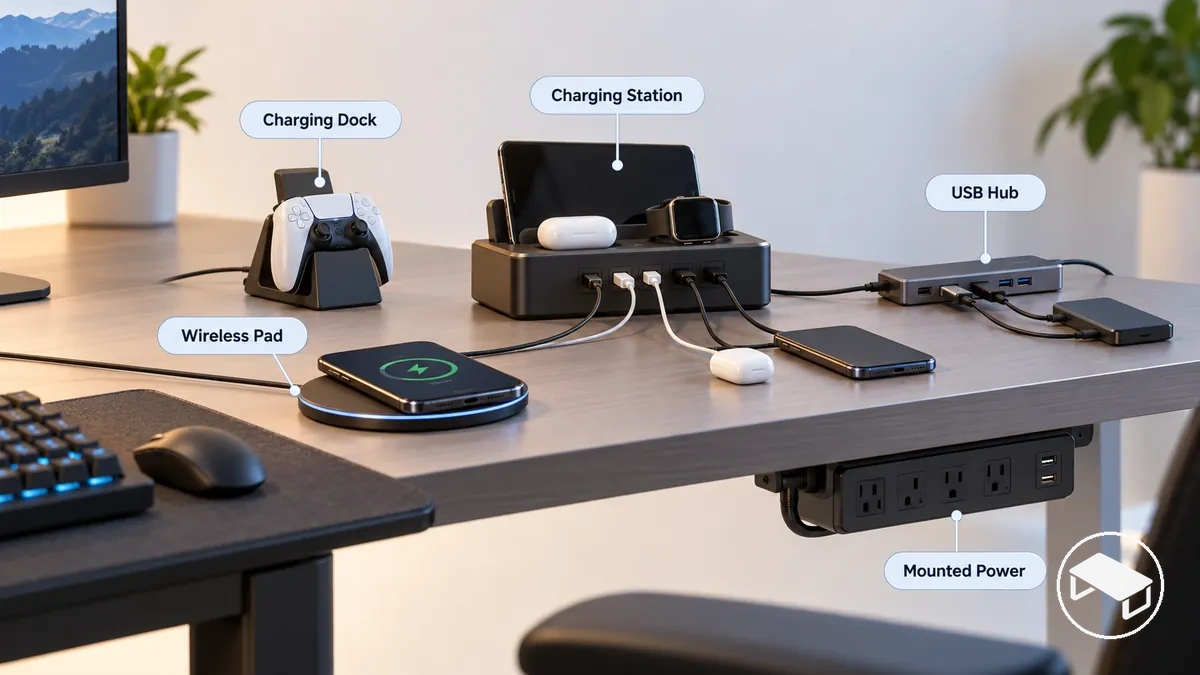
A charging dock can combine charging with device support and connectivity, whereas a USB hub primarily expands connectivity and provides a charging function only when its design supports it.
Charging-specific choices sit within the broader gaming desk accessories overview and selection.
Port Mix and Device Charging Compatibility
Charging compatibility has two layers: physical fit and supported charging capability. Treat them as separate checks before assuming that a connector or charging surface will power a device as intended.
Physical connection or placement
USB-C and USB-A describe connector types, while wireless charging requires the device to sit in the charger’s supported charging position. This establishes fit or placement, not a guaranteed charging mode.
Charging capability
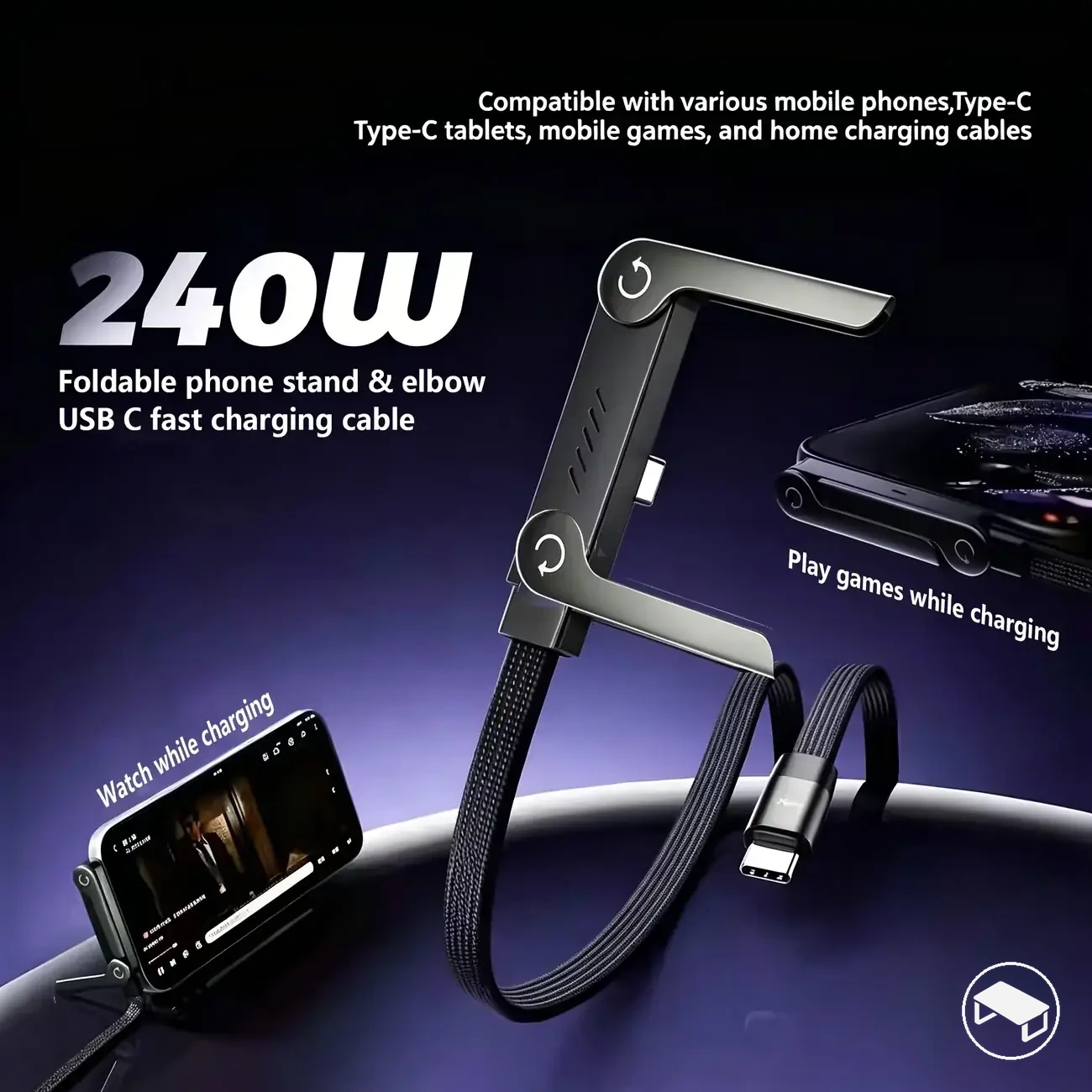
The selected port, cable, device and any required charging protocol must support the intended charging behaviour. A USB-C connector, for example, does not by itself guarantee a particular charging power or protocol.
The required port mix should correspond to the devices at the desk: a USB-C device needs an appropriate USB-C connection, while a device connected through USB-A needs a suitable USB-A port and cable.
The cable requirement is satisfied only when the cable supports the connection and charging behaviour required by the device-and-port pairing.
Where a charging protocol is required, the relevant device, charging accessory, and cable must support that protocol for its associated charging mode to be available.
For wireless charging, the device must support the charging method and be positioned as required on the charging surface.
Verify these conditions before treating an available connector or charging surface as compatible.
Compatibility checklist
- Connector type: Confirm whether the device connection requires USB-C, USB-A through an appropriate cable, or wireless charging.
- Charging-capable port: Confirm that the selected port provides the charging function required by the device rather than inferring charging capability from connector shape.
- Cable suitability: Check that the cable supports the connection and charging requirements of the device-and-port pairing.
- Device requirement: Identify the charging method accepted by the specific device and match the charging accessory to that requirement.
- Charging protocol: Where a particular charging protocol is required, verify that the relevant port, cable, and device support it.
- Wireless support: For wireless charging, confirm device support for the charging method and the placement required on the charging surface.
Port mix and device charging compatibility involve separate checks for physical connection and supported charging capability.
The image below shows USB-C and USB-A connections to different desk devices, with the cable-to-port relationship visible alongside that distinction.
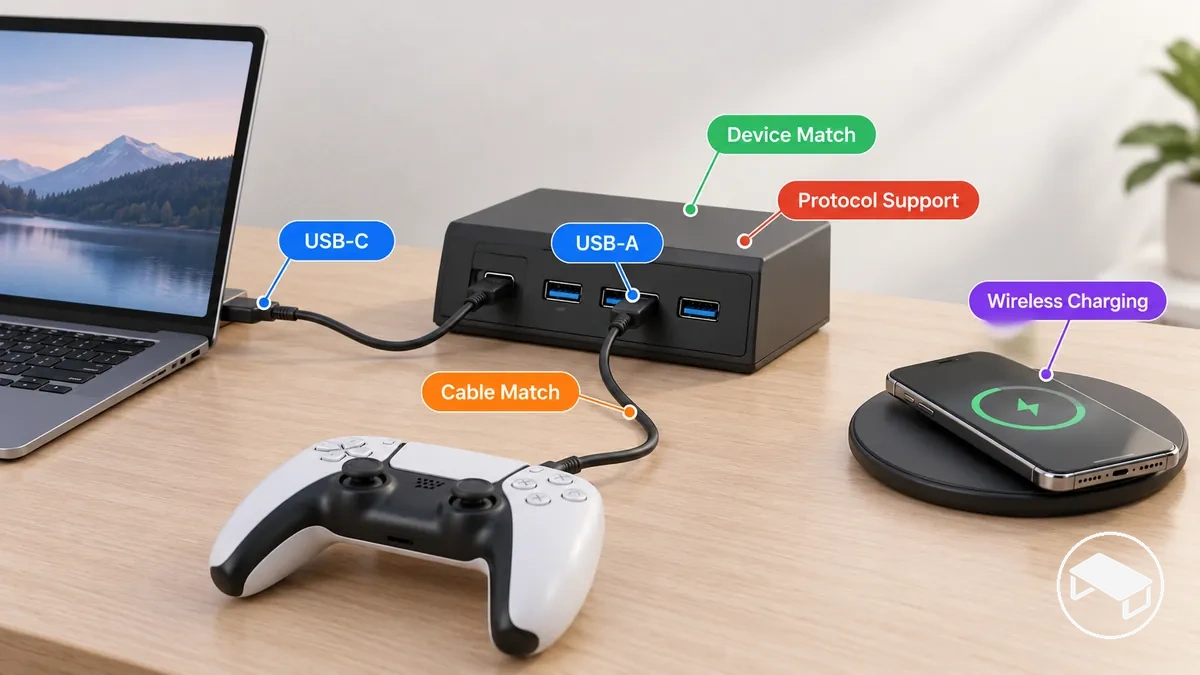
For example, two USB-C ports can have the same physical connector while supporting different charging functions when their port implementations differ.
A device and cable can physically connect to either port, but the required charging behaviour is available only when the selected port, cable, charging protocol where applicable, and device support the required conditions.
Verify those conditions for the specific device-and-port pairing rather than using connector appearance alone as proof of charging compatibility.
Total Power, Per-Port Output and Simultaneous Charging
A charging accessory is suitable only when both its total rated output and per-port delivery fit the charging demand of the intended device mix.
The total power figure describes the accessory's overall power budget, while the output available to an individual port is governed by that port's stated capability and the active port combination.
No single wattage threshold should be assumed across device mixes because the required output is device-specific and the available output is accessory- and configuration-specific.
With multiple connected devices, shared output and port allocation can therefore change the usable power available to each device.
For simultaneous charging, verify the charging station's stated total power, the supported per-port output, and the allocation behaviour for the exact combination of ports being used.
A total power budget can cover the combined charging demand yet still be unsuitable if an individual device requires an output condition that its selected port does not support.
Shared output can redistribute or limit available output when additional devices are connected according to the accessory's documented port-allocation rules.
Total power, per-port delivery, and simultaneous-use allocation are therefore separate criteria.
The following table separates the four power factors to verify against the intended device mix.
| Power factor | What to verify | Why it matters | Conditional note |
|---|---|---|---|
| Total power budget | The accessory's stated total rated output | Establishes the overall power budget available for the connected device mix | Compare the stated total with the combined charging demand under the intended operating configuration |
| Maximum per-port output | The stated output supported by each port used for charging | Determines whether an individual port can meet the corresponding device's charging requirement | The available output can be specific to the port, charging protocol, and active port combination |
| Shared-output behaviour | The documented port allocation when multiple ports are active | Shows how connecting additional devices affects the output available through participating ports | Use the allocation stated for the exact combination of ports intended for simultaneous use |
| Simultaneous-device demand | The charging requirements of the devices intended to charge at the same time | Shows whether the available total and individual-port outputs suit the complete charging setup | Suitability requires both the overall power budget and each required port condition to match the connected devices |
Total power, per-port output, and simultaneous charging are separate but related checks in a multi-device setup.
The diagram shows how several connected devices draw from one charging station and how shared allocation can make the output available at individual ports differ from the headline total power.
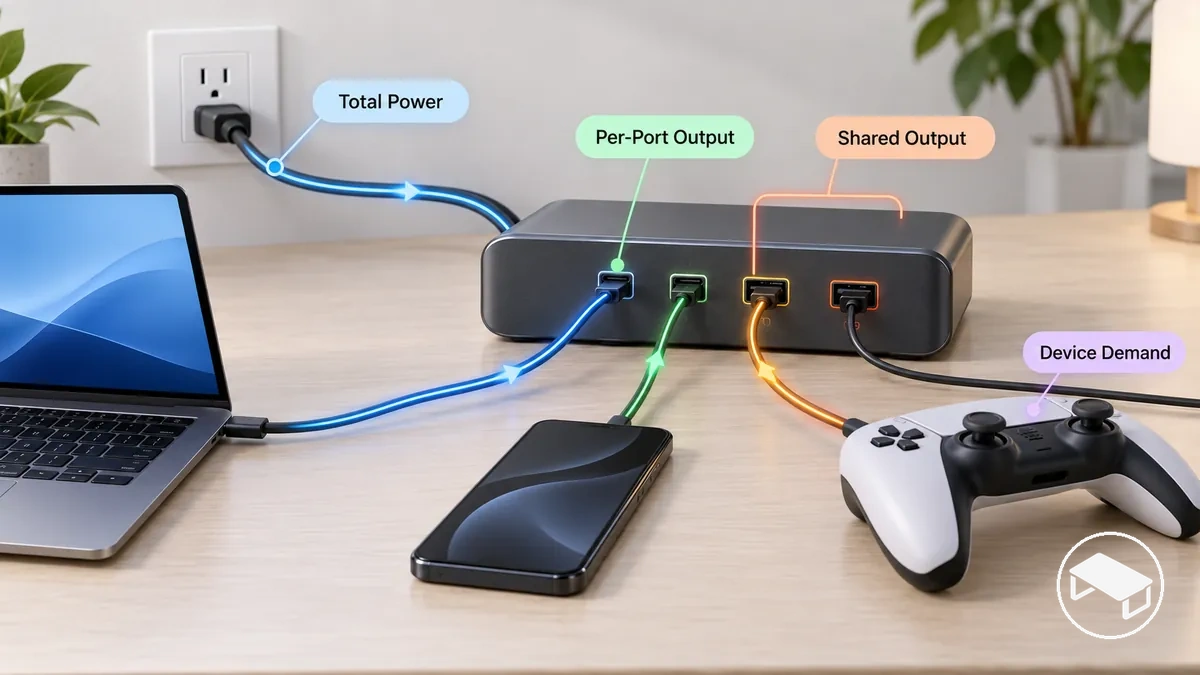
For example, a charging station can have sufficient total power for several connected devices while still being unsuitable if shared allocation leaves one selected port unable to meet its device's charging demand.
A different combination of active ports can change the available output when the accessory specifies different port allocation for simultaneous charging.
The practical rule is to match the device mix against both the stated power budget and the documented per-port allocation for the intended simultaneous-use configuration.
Related shared desk-power considerations also apply when evaluating desk lighting accessories and power considerations.
Placement and Mounting for Desktop, Wireless, Clamp-On and Under-Desk Options
The suitable placement or mounting option depends on desk geometry, practical access, cable reach and mounting support at the intended position.
Surface placement requires usable desk space and a reachable power path, while edge or underside mounting requires the relevant part of the desk to support the accessory's mounting method.
Clearance also affects whether the accessory, its connections, and connected cables remain accessible without interfering with the desk structure.
These conditions distinguish desktop placement, wireless placement, clamp-on, and under-desk options.
Desktop placement prioritises direct surface access, while wireless placement also requires a suitable charging area where the supported device can sit in the required position.
A clamp-on unit uses the desk edge and therefore requires an edge compatible with the clamp's fit and clearance needs; an under-desk option requires an underside position that supports its mounting method while keeping outlets or charging connections usable.
Cable reach must cover the path between the charging accessory, its power source, and the intended device position without assuming that the same mounting position suits every desk.
The matrix separates these high-level fit conditions, while detailed wireless alignment and mounted-option checks belong to their respective child subsections.
| Placement option | Surface or edge requirement | Access | Cable reach or clearance | Main fit check |
|---|---|---|---|---|
| Desktop | Usable desk surface at the intended charging position | Charging ports or the charging station remain directly reachable on the desktop | Cables must reach the power source and intended devices from the surface position | Confirm that the surface position provides usable space and stable support for the specific accessory |
| Wireless | Suitable desk-surface charging area for the supported device and charging accessory | The charging area remains reachable for device placement and retrieval | The accessory's power cable must reach its power source while allowing the intended charging position | Confirm that the surface position supports the device placement and alignment required by the specific wireless charging accessory |
| Clamp-on | Desk edge compatible with the accessory's specified clamping arrangement | The mounted unit remains reachable from the intended seating or device position | The desk edge must provide the clearance specified for the clamp, accessory body, and connected cables | Verify the specific accessory's edge-fit, clearance, and support requirements against the desk construction |
| Under-desk | Underside position compatible with the accessory's specified mounting method | Outlets or charging connections remain practically reachable beneath the desk | The selected position must provide the accessory-specific clearance and cord reach needed for plugs and connections | Verify the mounting method, underside construction, outlet orientation, and accessibility for the intended position |
Placement and mounting change the physical relationship between the charging accessory, desk surface, desk edge, underside, and the user's access path.
The graphic shows the four positions on one desk so the differences in spatial fit, clearance, and cable reach are visible without implying that one arrangement suits every desk.
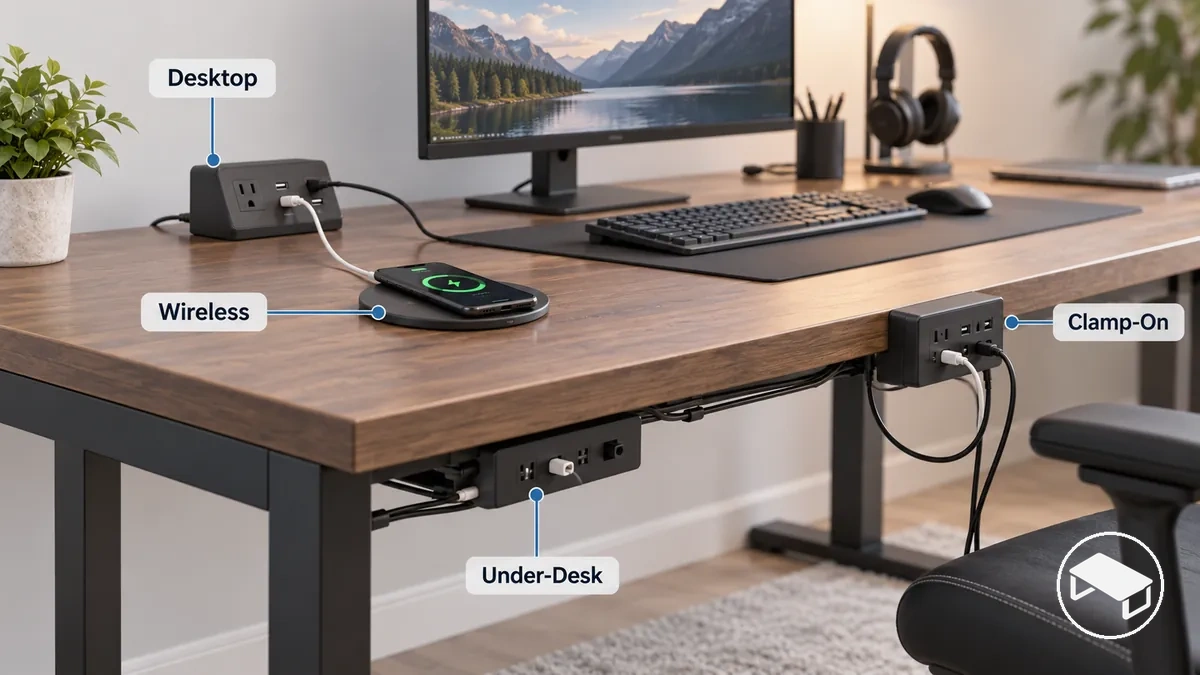
For example, a desk with open surface space but an edge or underside that does not support the intended mounting method can favour desktop placement or a suitable wireless placement over a clamp-on or under-desk arrangement.
Conversely, limited surface space can make an edge or underside position more practical only when the desk construction, clearance, mounting constraints, cable reach, and access support that specific accessory.
The appropriate position is therefore the one whose physical mounting conditions match the desk while leaving charging access usable and the accessory adequately supported.
Wireless Charging Position and Surface Constraints
Reliable wireless charging depends on alignment, compatible separation, heat conditions and stable placement. The exact limits are device- and charger-specific, so use the specifications for the particular pairing rather than a universal distance or case-thickness rule.
- Alignment
- Keep the device in the charger’s supported charging zone; movement away from that position can reduce or interrupt charging.
- Case and intervening material
- A case or through-surface installation adds material and separation between charger and device. Confirm that the particular charger and device support that arrangement.
- Heat
- Operate the charger and device within their stated temperature and ventilation conditions rather than assuming that wireless placement removes thermal constraints.
- Surface stability
- Use a stable surface that keeps the device from shifting out of the required charging position during normal desk use.
Before treating a wireless position as suitable, verify device support, charger compatibility, placement requirements, case or surface conditions, and the operating instructions for both products.
Clamp-On and Under-Desk Power Access Placement
Clamp-on and under-desk power access is suitable only when the desk can support the accessory’s specified attachment method and the mounted position leaves power connections practically usable.
Mounting and access checklist
- Mounting area: Confirm that the desk edge or underside provides the area required by the specific mounting option.
- Clearance: Confirm that the accessory, mounting hardware, plugs, and cords have sufficient clearance at the intended position according to the accessory's requirements.
- Attachment method: Match the specified clamp, bracket, screw, adhesive, or other attachment method to a desk material and structure that the accessory supports.
- Desk structure or thickness: For clamp-on hardware, compare desk thickness with the product's supported range; for under-desk mounting, confirm that the underside structure supports the specified attachment method.
- Cord reach: Confirm that the power cord reaches its required connection point from the mounted position.
- Outlet and control access: Check that outlet orientation leaves plugs and any required controls reachable after mounting.
Fit is not just attachment. A clamp, bracket, screw, adhesive or other mount must be supported by the desk structure, while clearance, cord reach, outlet orientation and control access must still work after installation.
Safety and Protection Features for Desk Charging
Desk charging safety depends on the accessory’s documented protections, electrical ratings, installation conditions and connected load. A single protection feature does not make an accessory universally safe, and the stated ratings still apply during normal use.
Protection names describe different failure or operating conditions, so verify each capability separately rather than treating one label as a substitute for another.
- Over-voltage protection
- Addresses voltage conditions beyond the accessory’s supported operating condition when that protection is explicitly documented.
- Over-current protection
- Limits or interrupts excessive current conditions when the accessory specifies that function; do not infer it from connector type or wattage alone.
- Short-circuit protection
- Addresses a short-circuit condition when the product explicitly documents that protection.
- Overload protection
- Addresses a connected load beyond the accessory’s designed capacity, while the user should still keep the load within the stated electrical ratings.
- Surge protection
- Is a separate capability and should not be inferred from over-voltage, over-current, short-circuit or overload protection.
- Thermal protection
- Addresses specified temperature conditions when documented; it does not remove the need for unobstructed ventilation or heat dissipation.
Installation remains part of the safety condition. Keep mounting secure, required ventilation unobstructed, plugs and controls accessible, and the connected equipment within the accessory’s stated electrical and thermal limits.
Choosing the Right Charging Setup for Your Devices and Desk
The right charging setup is the one whose port mix, usable per-device power, simultaneous-use behaviour, placement and protection conditions match the actual device mix and desk constraints.
Apply the checks in this order so a later convenience feature does not hide an earlier compatibility or power failure.
Selection sequence
- Device count and type: Identify the connected devices that require charging and match the setup to that actual device mix.
- Required port mix: Confirm that the available charging connections correspond to the connectors and charging methods required by the intended devices.
- Per-device power: Verify that each selected charging port supports the power conditions required by its connected device.
- Simultaneous charging: Check the documented shared-output or port-allocation behaviour for the combination of devices intended to charge at the same time.
- Placement or mounting fit: Confirm that the intended desk placement provides the required mounting fit, accessibility, and cable reach for the specific accessory.
- Protection and accessibility: Verify the documented safety features and electrical ratings, and confirm that ports, plugs, and required controls remain accessible in the intended installation.
A low-demand phone-and-controller desk can use a simpler charging configuration when its ports, supported output and placement satisfy those devices. A higher-demand multi-device desk may need more charging connections and documented simultaneous-output support.
More ports alone do not make a setup suitable. Shared output, per-device power, mounting fit, accessibility and documented protection conditions still have to pass for the intended use.
Final selection should favour the simplest setup that satisfies the actual device mix and desk constraints while operating within its stated electrical ratings.
Once that setup profile is clear, the product examples below can be used for comparison against the same compatibility, output, placement and protection criteria.
Before following a product link, verify the current listing’s specifications and seller terms for the exact variant you are considering.