Gaming Desk Cable Routing with Trays and Clips
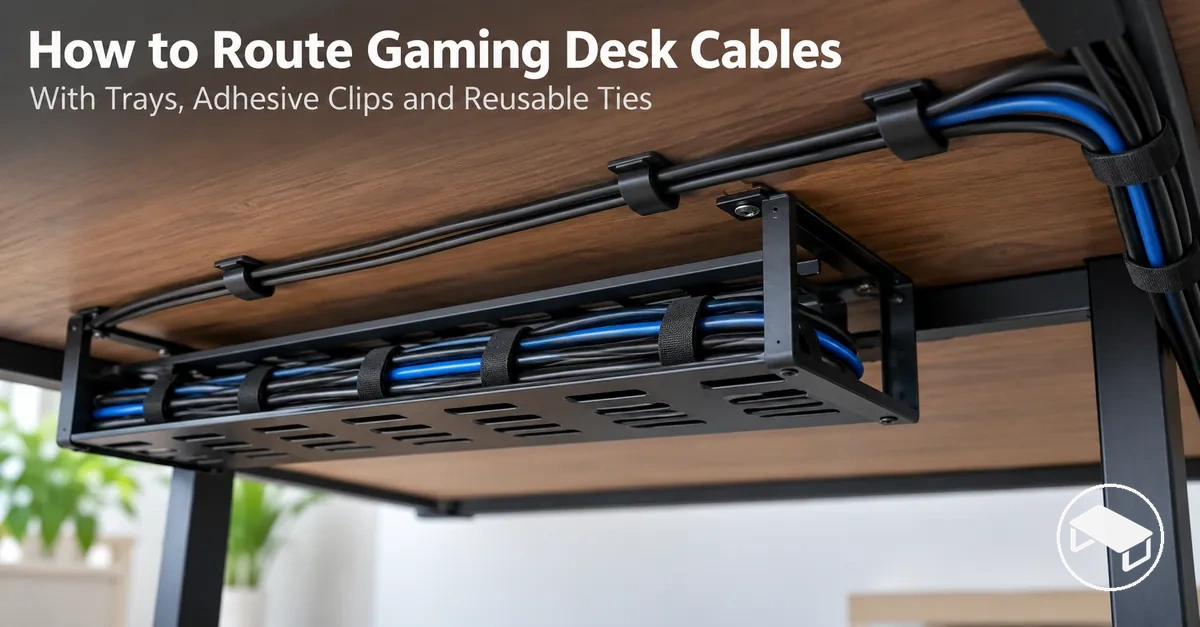
Plan the cable route before mounting anything: map each device endpoint, cable destination, under-desk path and movement zone, then place the tray on the main run and clips at bends, transitions and exits. Leave enough slack for moving hardware to complete its actual travel without connector tension, and secure only bundles that remain accessible and easy to reopen.
Cable-routing planner
Plan the route in four passes
Use the desk, cable endpoints and actual movement requirements to determine the route first. Supports should preserve that route rather than force cables into convenient mounting positions.
-
1
MapMark device endpoints, cable destinations, entry and exit points, usable underside space and every movement zone.
-
2
SupportAlign the tray with the main run; use clips where bends, surface transitions and cable exits need directional control.
-
3
BundleGroup only cables that share a compatible route and service need. Use reusable ties without crushing cables or removing required movement.
-
4
TestMove adjustable hardware through the positions you actually use, then check connector tension, clearance, support stability and access.
- Moving monitor arm
- Keep a controlled service loop that stays free of connector tension through the arm's intended travel.
- Bend, transition or cable exit
- Add retention where the route needs directional control; a stable straight run can use fewer support points.
- No-drill mount
- Choose clamp-on or adhesive support only when the desk edge or surface, clearance and the product's stated load limits are compatible.
- Frequent reconnection
- Keep the connector and its local run reachable instead of burying it inside a hard-to-open bundle.
Mounting surface requirements, adhesive preparation or waiting time, and load limits are product-specific; follow the support manufacturer's stated instructions before loading the route.
Table of Contents
Map Devices, Cable Paths, and Movement Before Installation
Map every device connection, cable destination and movement zone before mounting a support. Treat the PC or console, power source and fixed peripherals as endpoints, and treat adjustable hardware as a moving part of the route.
For each cable, confirm that its available length can follow the planned path without becoming taut, and that the desk provides usable clearance and a compatible mounting area along that path.

- Device connections: identify each connected device and the connection that forms the cable's starting endpoint; its location establishes where that cable enters the planned route.
- Cable destinations: identify the destination for each power, display, and peripheral cable so its cable path finishes at a known exit point.
- Cable length: verify that each cable can follow the intended under-desk path between its endpoints while retaining any slack required for connected hardware to move; if it becomes taut, revise the route or use a cable long enough for the planned path before supports are fixed.
- Entry and exit points: mark where each cable enters and leaves the under-desk route so the planned path follows the actual connection locations.
- Underside clearance: identify areas where desk framing, drawers, controls, or other fixed parts restrict the available path; where the intended support cannot occupy the available space, move that support location to another usable part of the route.
- Support locations: mark positions on the planned cable path where the desk geometry, available space, and mounting surface are compatible with the intended support method.
- Monitor-arm travel: trace the monitor cable through the arm's intended movement zone and provide enough cable slack for that travel; if movement pulls the cable taut or loads the connector, increase the available slack or revise the transition to the fixed route.
For example, moving an adjustable monitor arm can lengthen the path between the monitor and the first fixed under-desk point. If that movement pulls the cable taut, increase the available slack or move the transition point; if the cable remains free through the intended travel, it can transition into the fixed route.
Mount the Cable Tray and Clips Along the Planned Route
Mount the cable tray and cable clips at support points that follow the planned route rather than shifting the cable path to suit convenient mounting positions.
The mounting method must match the available desk surface or edge, while each mounting position needs sufficient clearance and access for the support to attach as intended.

- Confirm the planned route: identify the mounting positions needed for the cable tray and cable clips along the mapped path. A position passes this check when the intended support can occupy that location without changing the required route or obstructing necessary access.
- Check the mounting condition: inspect the relevant underside surface or desk edge for the selected mounting method. An adhesive mount requires a contact area that meets its stated surface requirements, while a clamp-on support requires an edge and clearance compatible with its attachment geometry; reassess the position if those conditions are not met.
- Prepare the mounting area: complete the surface preparation specified for the selected support before attachment. Proceed when the contact or clamping area meets the preparation and surface conditions stated for that mounting method.
- Attach the supports: mount the cable tray supports and cable clips at their confirmed points using their intended attachment method. If a support cannot seat or attach as intended, reassess the mounting position or method rather than changing the planned cable path around it.
- Check stability and access: perform the initial stability check specified for the installed support and confirm that it remains seated at its mounting position. The support should leave the planned cable path and required access unobstructed; holding capacity remains specific to the mounting hardware, desk surface, installation condition, and any applicable manufacturer limits.
After mounting, check the cable tray and cable clips for initial stability and confirm that the supports remain accessible for cable placement or adjustment.
If a support shifts, does not seat as intended, or obstructs the required access space, reassess that mounting position or method before proceeding.
Position the Under-Desk Tray Along the Main Cable Run
Position the under-desk tray so it aligns with the main cable run while leaving usable space for cable entry, cable exit, and service access.
- Alignment
- Follow the main cable run so the bundle can enter, travel through and exit without avoidable detours.
- Clearance
- Leave usable space for the tray, cables and required access around the actual desk frame and nearby moving hardware.
- Service access
- Keep cable entry, cable exit and connections that may need adjustment reachable.
- Conflict response
- If the desk frame or movement zone blocks an otherwise aligned position, reposition the tray along the planned route instead of forcing the bundle through the obstruction.

Place Cable Clips at Bends, Transitions, and Cable Exits
Place cable clips at functional control points where the cable route changes direction at a bend, makes a transition between surfaces, or reaches a cable exit.

Bend or surface transition
Add enough retention to keep the cable following the intended direction without forcing a sharp bend.
Cable exit
Support the point where the cable leaves the managed run so the exit direction stays controlled and the connector is not loaded.
Stable straight run
Use fewer support points when the cable naturally holds the route and does not need repeated directional control.
Spacing decision
Set clip density from route shape, cable behaviour, mount type and required retention rather than applying one fixed interval to the whole desk.
Use Clamp-On or Adhesive Mounts for No-Drill Routing
No-drill routing can use a clamp-on support or an adhesive mount when the desk geometry, mounting condition, expected cable load, and removability needs suit that method.
Clamp-on support
- Requires
- A compatible desk edge and enough clearance for the clamping hardware.
- Load condition
- The expected cable load must stay within the support's stated limits and the clamp must remain properly seated.
- Removal
- Detaches from a compatible edge without relying on an adhesive bond.
Adhesive mount
- Requires
- A compatible surface prepared according to the product instructions, including any stated waiting time before loading.
- Load condition
- The cable load must remain within the mount's stated limits and the bond must stay seated on the chosen surface.
- Removal
- Depends on the adhesive system and desk surface; removal characteristics are product- and surface-specific.
Choose by fit, not convenience: match desk geometry, surface or edge compatibility, clearance, expected cable load and removability needs. If neither method meets those conditions, use another suitable support method.
This installation choice concerns initial mounting suitability; diagnosing an adhesive support that later detaches is a separate troubleshooting task.
Route, Bundle, and Secure Cables Under the Desk
Route cables under the desk through the installed cable tray and cable clips so each run follows its cable destination while remaining accessible and serviceable.
The cable path should accommodate its required bends and access points without redirecting the run merely to make the bundle look uniform.
- Route each cable to its destination: follow the installed support path through the cable tray or cable clips, and check that the run reaches its cable destination while its required bends and access points remain usable.
- Identify shared cable paths: group runs that follow the same practical route or destination, but keep a run separate when joining the group would interfere with its required movement or service access.
- Form manageable cable bundles: bring compatible runs together along their shared path, and check that individual cables remain identifiable and reachable where they need to disconnect or change direction.
- Secure the bundle with reusable ties: retain the grouped cables along the supported route so the cable bundle remains practical to reopen for changes or maintenance.
- Contain excess cable: place excess cable within an appropriate supported part of the route where it remains serviceable without obstructing access, required bends, or cable movement.
The routing stage is complete when the supported runs remain accessible, serviceable, and able to accommodate their required movement.
Route Monitor Power, Display, and Peripheral Cables in Serviceable Runs
Route the monitor power cable, display cable, and each peripheral cable so they follow an organized path while remaining identifiable and reachable for reconnection or device changes.
- Shared route: group cables only when their destinations, movement requirements and service needs are compatible.
- Frequent reconnection: keep connectors that are changed often reachable instead of burying them inside a harder-to-service bundle.
- Reusable retention: use ties that can be reopened when a cable needs to be disconnected, replaced or rerouted.
- Identification: finish only when each cable can still be identified and the relevant connection can be reached without dismantling unrelated runs.
Leave Movement Slack for Adjustable Monitor Arms
Set cable slack for the monitor arm from its actual travel and cable path rather than from a fixed length.
The required service loop is the amount that allows the cable to follow the arm through its intended range of motion without being pulled taut.
- Move through the real range: place the monitor arm in every position the setup normally uses; a frequently repositioned arm needs a wider movement check than a mostly fixed monitor.
- Watch the moving-to-fixed transition: confirm the service loop follows the arm without snagging as the cable reaches the first fixed desk support.
- Pass or adjust: the slack is sufficient when intended travel creates no connector tension and the loop stays controlled and accessible. If the cable becomes taut or the loop becomes uncontrolled, adjust the retained slack or transition point.
Bundle Excess Cable Without Overtightening
Secure only the excess cable that can form a controlled cable bundle without sharp bends, crushed insulation, connector tension, or loss of required movement.
Keep
- Gradual cable bends that follow the natural route and any manufacturer-specified bend limits.
- A controlled service loop where movement or reconnection needs accessible slack.
- Reusable hook-and-loop ties tightened only enough to retain the bundle.
- Connectors and individual cables reachable for later service.
Avoid
- Sharp bends, crushed insulation or ties that visibly compress the bundle.
- Connector tension caused by pulling excess cable too tightly into the managed run.
- Bundling that removes movement allowance or makes one cable impossible to replace without dismantling unrelated runs.
Avoid Common Desk Cable Routing Mistakes
A common cable routing mistake is to skip planning or secure cables in ways that reduce required movement and service access.
Overtightening, overstuffing, and failing to account for cable length can leave an otherwise workable route harder to move, access, or change.
| Mistake | Likely consequence | Correction |
|---|---|---|
| Skipping route planning before securing cables | The cable layout can conflict with device destinations, available support positions, or required movement. | Confirm the route, cable length, endpoints, and movement requirements before fixing supports or bundles in place. |
| Overtightening cable ties or bundles | The cable bundle can develop sharp bends, connector strain, or restricted movement where slack is required. | Retain the bundle only firmly enough to control the route, using reusable ties where reopening or adjustment is needed. |
| Overstuffing the cable tray | Overcrowding can reduce service access and make individual cables harder to identify, remove, or reroute. | Reduce the cable bundle or redistribute runs so required connections and individual cables remain accessible. |
| Ignoring cable length when choosing the route | A run can become taut before reaching its destination or leave excess cable poorly contained along the route. | Check cable length against the complete planned path and revise the route or cable-length provision before securing the run. |
| Routing connections where they cannot be reached | Routine reconnection or replacement can require unrelated bundles or supports to be disturbed. | Keep connections likely to need service at reachable points and preserve service access around them. |
The highest-impact corrections are to plan before fixing supports, preserve required movement, and keep service access available instead of overtightening or overstuffing cable runs.
The practical consequence of each mistake depends on the actual cable layout, cable length, support method, and movement requirements rather than implying inevitable failure.
If a cable clip persistently detaches after installation, treat the detached clip as a separate troubleshooting problem rather than repeatedly changing an otherwise suitable route.
Test the Finished Route for Tension, Clearance, Movement, and Access
The final route passes its current check only when the cables remain supported, connector access stays available, and adjustable components can complete their intended movement without cable tension or connector tension.
If required movement is restricted, a connection is pulled, underside clearance is obstructed, or service access is blocked, rework the affected routed element before treating the installation as complete.
- Cable tension: Pass when the routed cable remains free of visible pulling at its connectors through the required positions; if it becomes taut, loosen the retained cable or reroute the affected run.
- Underside clearance: Pass when cables and supports remain clear of desk parts or moving hardware that obstruct the space required by the route; if clearance is blocked, reposition the affected support or reroute the cable.
- Tray stability: Pass the current check when the tray remains seated at its mounting position while holding the routed cables; if it shifts or does not remain seated, reposition the tray or correct its mounting condition.
- Clip stability: Pass the current check when each clip remains seated and retains the intended cable path; if a clip shifts or releases the cable, reposition the clip or reroute that local run.
- Monitor-arm travel: Pass when the monitor arm completes its intended travel while cable slack follows the movement without connector tension; if movement pulls the cable taut, loosen the retained slack or reroute the transition between the moving and fixed cable paths.
- Connector access: Pass when connectors that require service remain reachable for disconnection and reconnection without dismantling unrelated cable runs; if access is blocked, reposition the affected bundle or support.
- Serviceable bundle: Pass when bundled excess cable remains contained while individual cables can still be identified, accessed, and released where service is required; if retention prevents access or required movement, loosen or reposition the bundle.
A passing final route therefore shows no observed connector tension during required movement, preserves the underside clearance needed by the actual desk setup, keeps the tray and clips seated during the current inspection, and maintains connector access and a serviceable bundle.
These observations confirm the present routing condition rather than guaranteeing long-term adhesive performance or permanent support stability.
Correct any failed condition by loosening, repositioning, or rerouting the affected element before considering optional accessory alternatives.
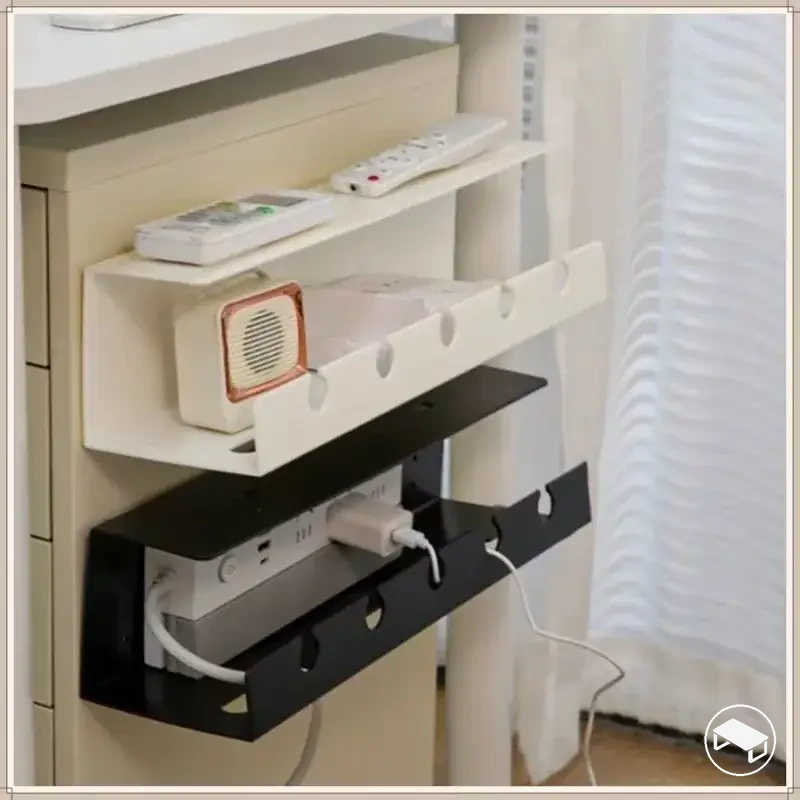
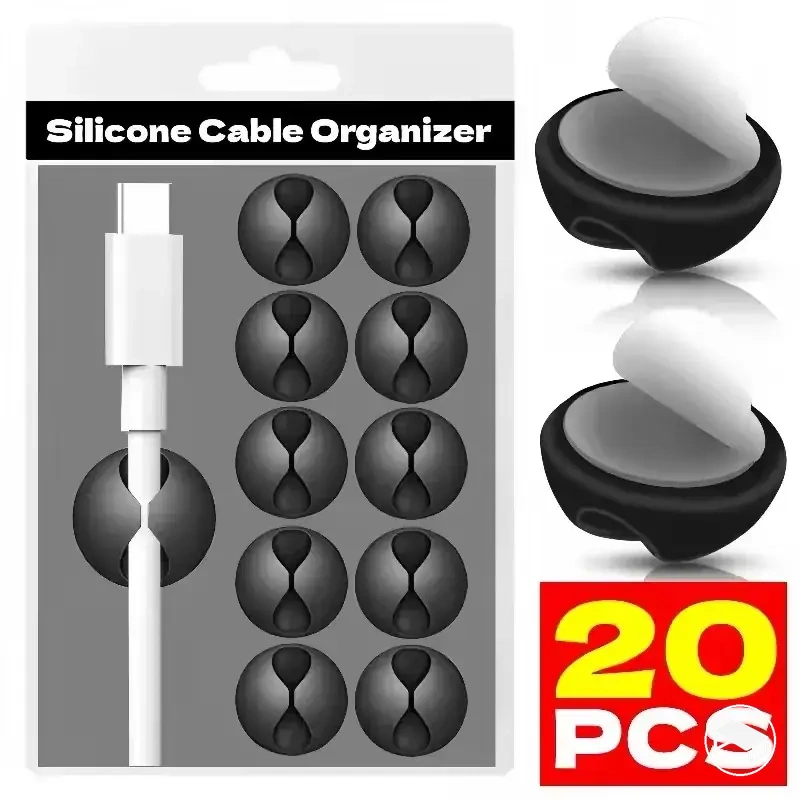
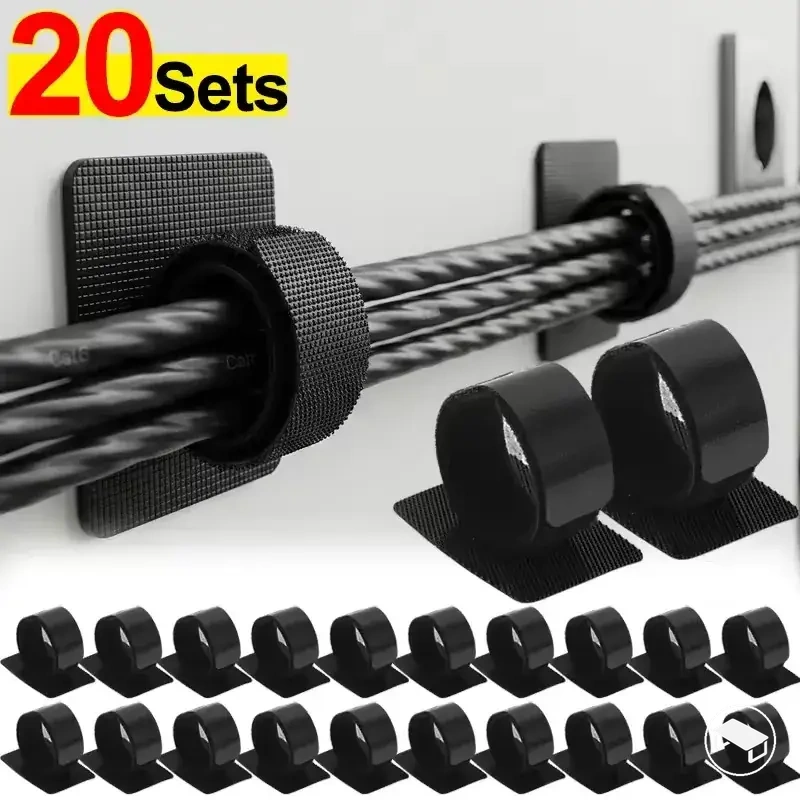
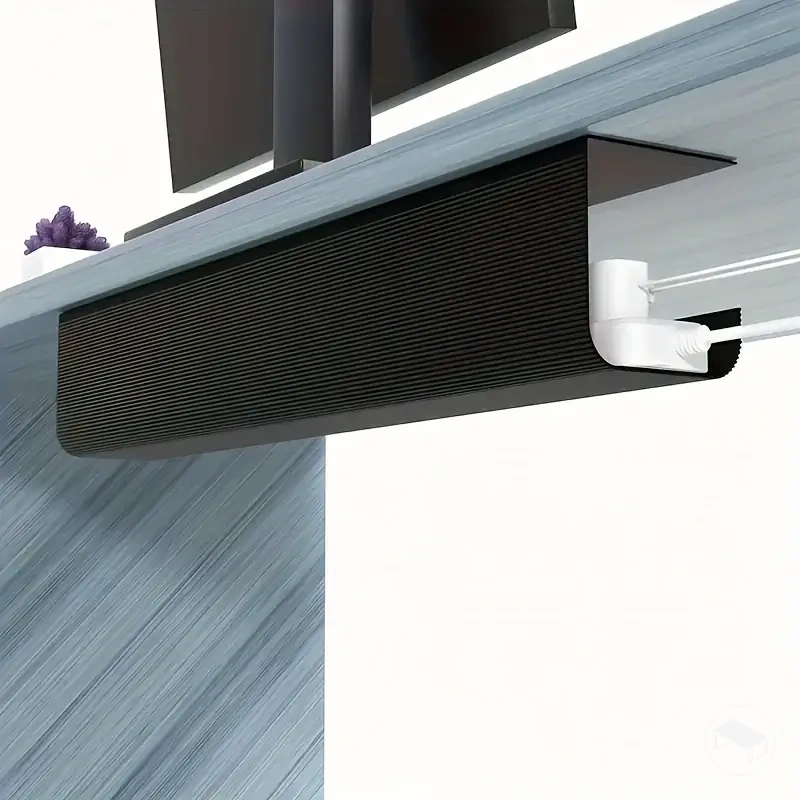
The product examples below represent different support types. Compare their stated compatibility and installation requirements against the checks above before following a marketplace link.